Explore character portraits, short action clips, product video and product-background directions from existing public reference templates. Compare the saved inputs, previews and settings before adapting the ideas to your own project.
These are editorial walkthroughs of saved reference templates, not new generation benchmarks or customer case studies. Each article names its source and explains what the available media can show.
 Character portraits
A character portrait to a selfie video: a reference workflow
Follow a public character template from a portrait reference to a selfie image and four-second video, with saved settings and review checks.
8 nodes · 8 connections · Source: TapNow
Read the walkthrough →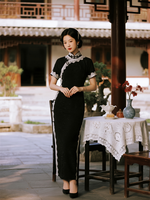 Character motion
Animate a character from a pose reference: a short-video workflow
Explore a public character-animation template with a portrait, pose guide, composite still and five-second action preview, plus review checks.
9 nodes · 5 connections · Source: TapNow
Read the walkthrough →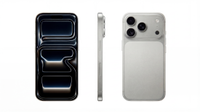 Product video
From a product image to a short ad: a template walkthrough
Explore a public product-ad template: one reference image, a video prompt, saved settings and an existing five-second preview.
2 nodes · 1 connections · Source: TapNow
Read the walkthrough →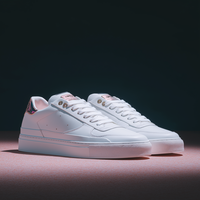 Product images
One product, four backgrounds: a reusable image workflow
See a public template connect a shoe reference to four background branches, with saved result previews, prompt logic and review checks.
13 nodes · 19 connections · Source: TapNow
Read the walkthrough →